
 Try for free
 Guides
Internal production notes
Add private, staff-only notes to orders in Orderline—separate from the customer’s Shopify note—and print them on packing slips when needed.
Published · Updated
On this page
Why internal notes exist
Shopify’s order note is the customer’s note: it shows in Shopify Admin, on packing slips, and can surface on invoices or the order status page. Your production team often needs a second, private layer—material reminders, allergy warnings, box choice, reprint instructions—that customers should not see.
Orderline adds internal notes on each order. They live only in Orderline, sync is never overwritten by Shopify, and they print on packing slips alongside the customer note when both exist.
Where notes appear
| Note type | Where it comes from | Who sees it |
|---|---|---|
| Customer note | Shopify checkout / Admin | Staff, packing slip, customer-facing surfaces |
| Internal notes | Orderline only | Staff in Orderline, packing slip |
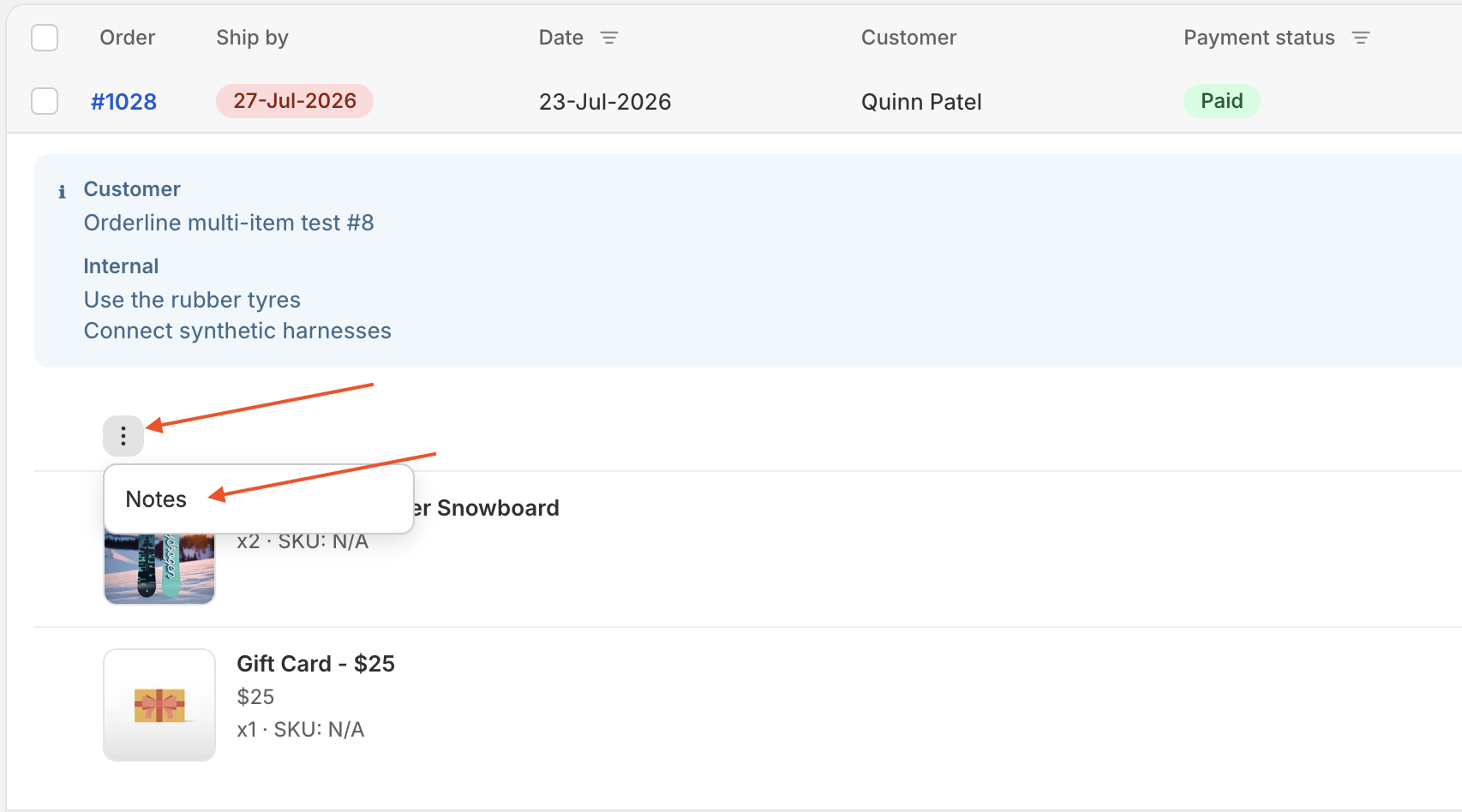
When an order has both, the details row under the order shows them labeled Customer and Internal. When only one exists, it shows without a label.
Long notes are trimmed in the list. Click the note strip to open the full notes modal.
Add or edit an internal note
- Open Orders in Orderline.
- On the order’s line-items header, click the ⋮ menu and choose Notes.
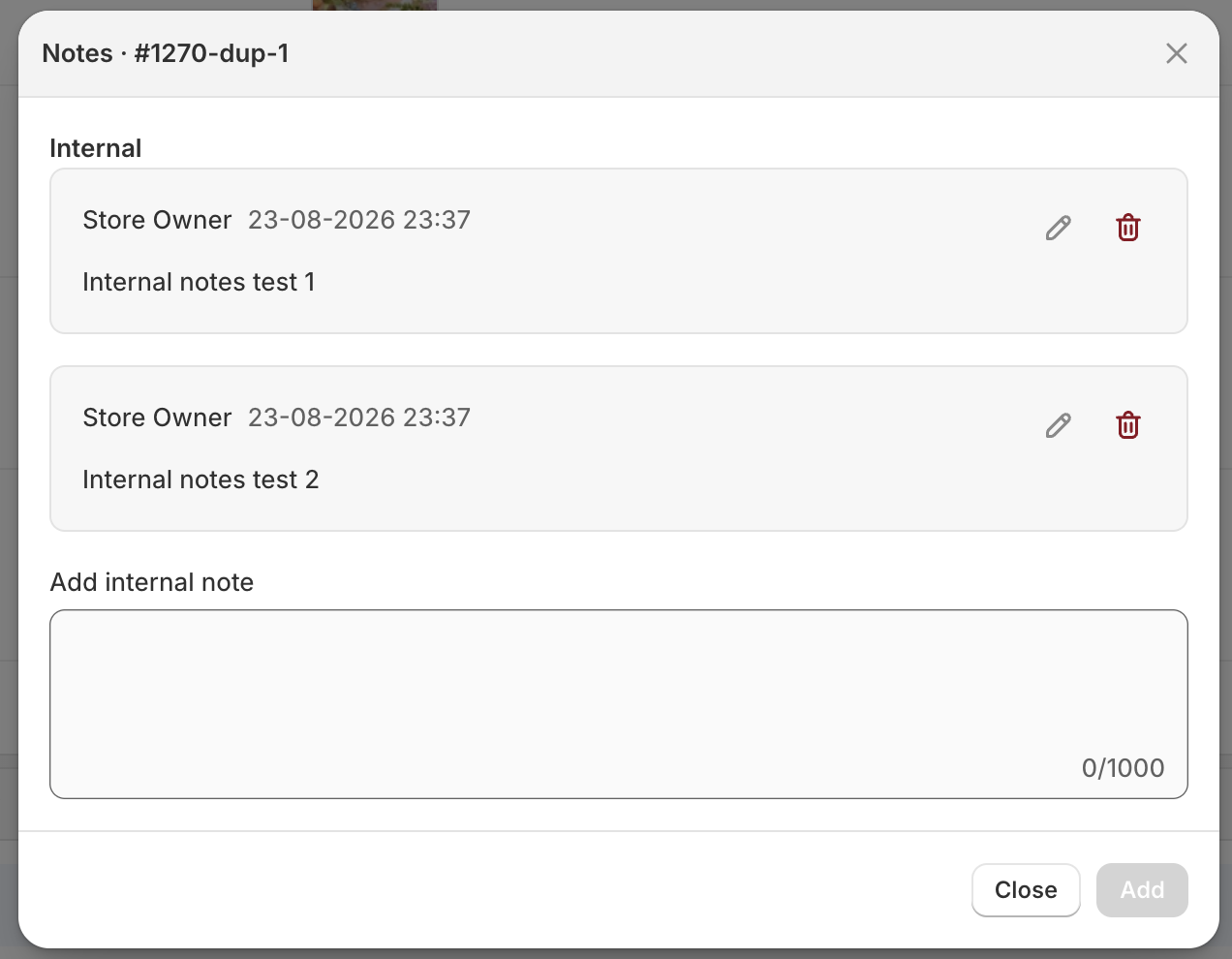
- Under Internal, type the note and save.
Staff who can see the order can add notes. If your team uses location locks, the order must be in that staff member’s list.
Edit or delete a note
Open the same Notes modal. Each internal note shows who wrote it and when. Use the edit or delete controls next to a note. Edits keep the original author and time; the update time is shown.
What internal notes are for
- Allergies or safety warnings (“nut allergy—use box B”)
- Material or supplier reminders
- Reprint or remake instructions
- Shop-floor context that should not go to the customer
They are not for customer communication, and they do not appear in Shopify Admin, customer emails, or the order status page.
Packing slips
Packing slips print both note types. When an order has both a customer note and internal notes, the slip labels them Customer and Internal so warehouse staff know which is which.
Internal notes are not added to draft orders, and they are not searchable or available as a custom column yet.
Related guides
- The Orderline orders view — line items, images, and customizations
- Custom order views and filters — search, filters, and saved views
- Packing slips — print customer and internal notes on the slip
Need more help? Contact Orderline support.