
 Try for free
 Case study
How Casa Anturio plans a week of flower deliveries
See how Casa Anturio brings delivery details and bouquet choices into Orderline, then uses custom columns, weekday views, and packing slips to prepare each order.
Written by Subhendu Singh · Published · Updated
On this page
- Who is Casa Anturio?
- Why is filtering Shopify orders by delivery date and time important to Casa Anturio?
- What can customers choose when ordering flowers for an event or occasion?
- How does Casa Anturio see delivery dates, times, and notes on one dashboard?
- How does Casa Anturio prepare a production queue for each day of the week?
- How does Casa Anturio use customized packing slips to guide its fulfillment staff?
- What impact has Orderline made on order processing?
Who is Casa Anturio?
Based in Colombia, Casa Anturio prepares bouquets for delivery to homes and events. Each order is made for a particular recipient, place, and moment, so the delivery details matter just as much as the flowers.
Why is filtering Shopify orders by delivery date and time important to Casa Anturio?
The day a customer places an order is not necessarily the day the bouquet needs to arrive. A purchase made today might belong in Saturday’s production queue, alongside orders placed on several different days.
Casa Anturio needs to plan around the promised delivery date and time window. Grouping orders by those details helps the team see what is due each day and prepare the right work in time.
What can customers choose when ordering flowers for an event or occasion?
On the product page, customers choose a delivery date and time and provide the delivery destination. They can also say what the occasion is, add a card message, and—depending on the arrangement—choose details such as flower varieties, wrapping paper, or a pot.
Those choices become production instructions: the delivery fields tell the team when and where an order is going; the bouquet options say what to make; and the card message stays with the gift.
How does Casa Anturio see delivery dates, times, and notes on one dashboard?
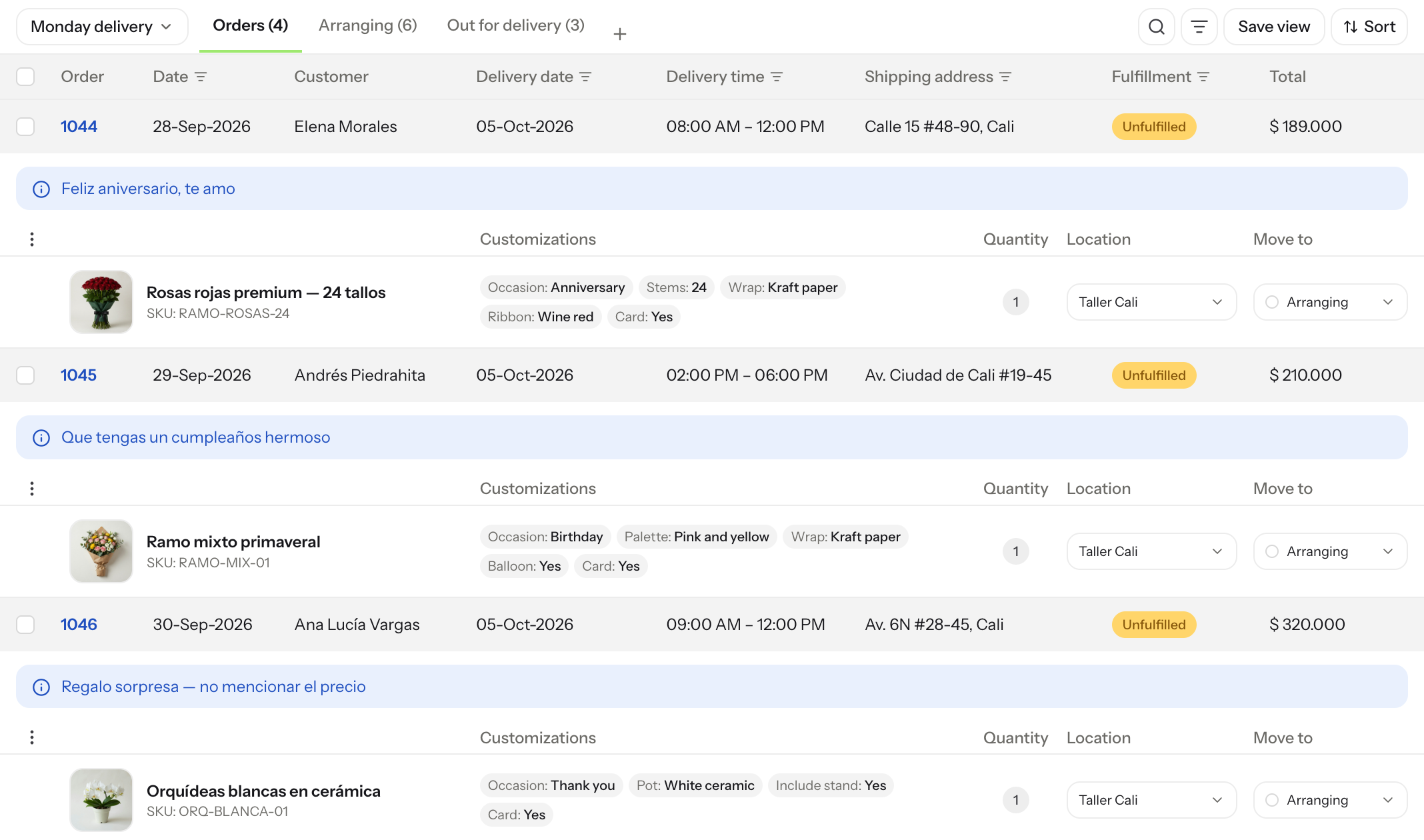
Casa Anturio adds delivery date, delivery time, and shipping address as custom columns in Orderline’s Orders list. The date and time come from checkout order attributes; the address comes from the Shopify shipping address. The customer’s card message appears with the order note, while bouquet choices sit beneath the matching product.
That puts the schedule, destination, and preparation details beside each order, where staff can scan them without opening orders one by one. They made the delivery-date column filterable so it can also power saved weekday views. See the custom columns guide for how columns work.
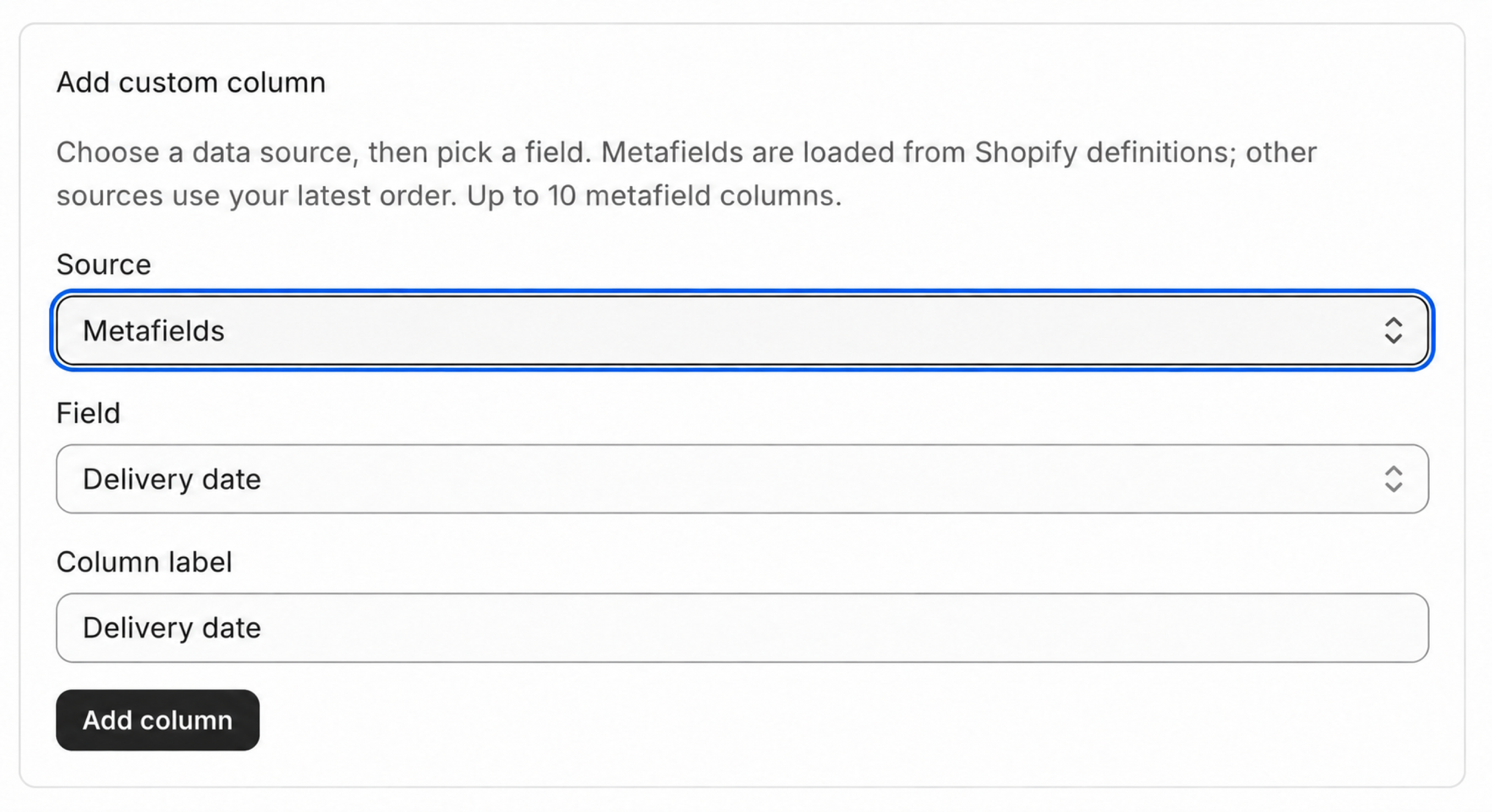
For other details stored as Shopify order metafields, Orderline can add a defined metafield as a custom column and make it Filterable for saved views. The settings below show the steps:

How does Casa Anturio prepare a production queue for each day of the week?
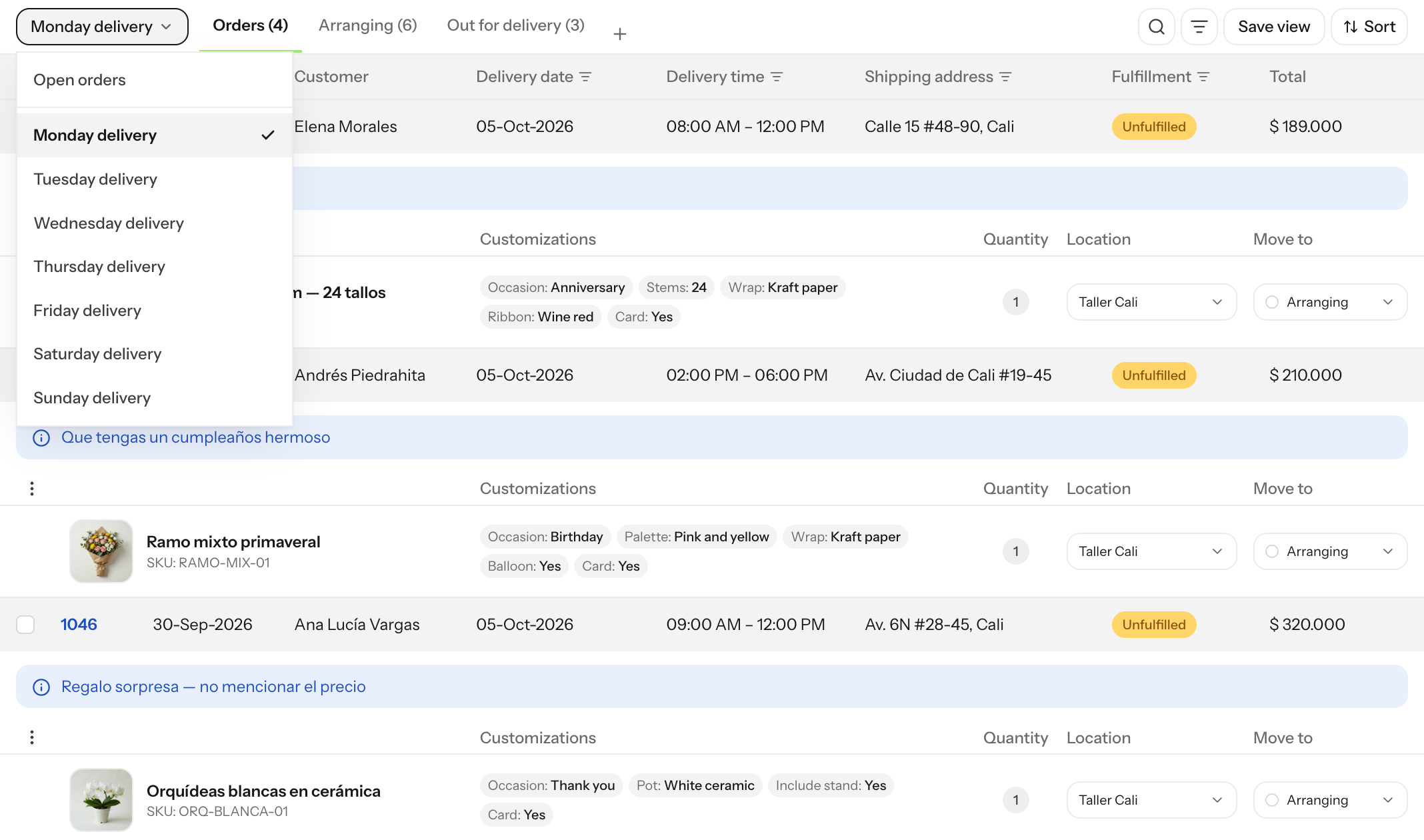
Casa Anturio saves a view for each delivery day: Monday through Sunday. Each view filters the delivery-date column to the matching day, so opening Monday delivery brings up Monday’s orders, ready to work through as a batch. A time filter can narrow that list further when the team needs a particular delivery window.
At the end of the week, they update each view’s date to the corresponding day in the coming week. The view names stay familiar, while the lists reflect the new schedule. The custom views guide explains how to save and reuse filtered order lists.
How does Casa Anturio use customized packing slips to guide its fulfillment staff?
Orderline lets Casa Anturio adjust its packing slips in Settings → Packing slips. The live preview shows how each change will look, and the team can add fields from columns they have already configured—including delivery details from checkout attributes, order metafields, or the shipping address.
They print a slip for each order and hand it to the staff preparing the bouquet. The sheet puts the product photo beside the item and its options, then includes the delivery date, time, and customer’s card message. Staff can see what to make and where and when it needs to go without reopening the order.
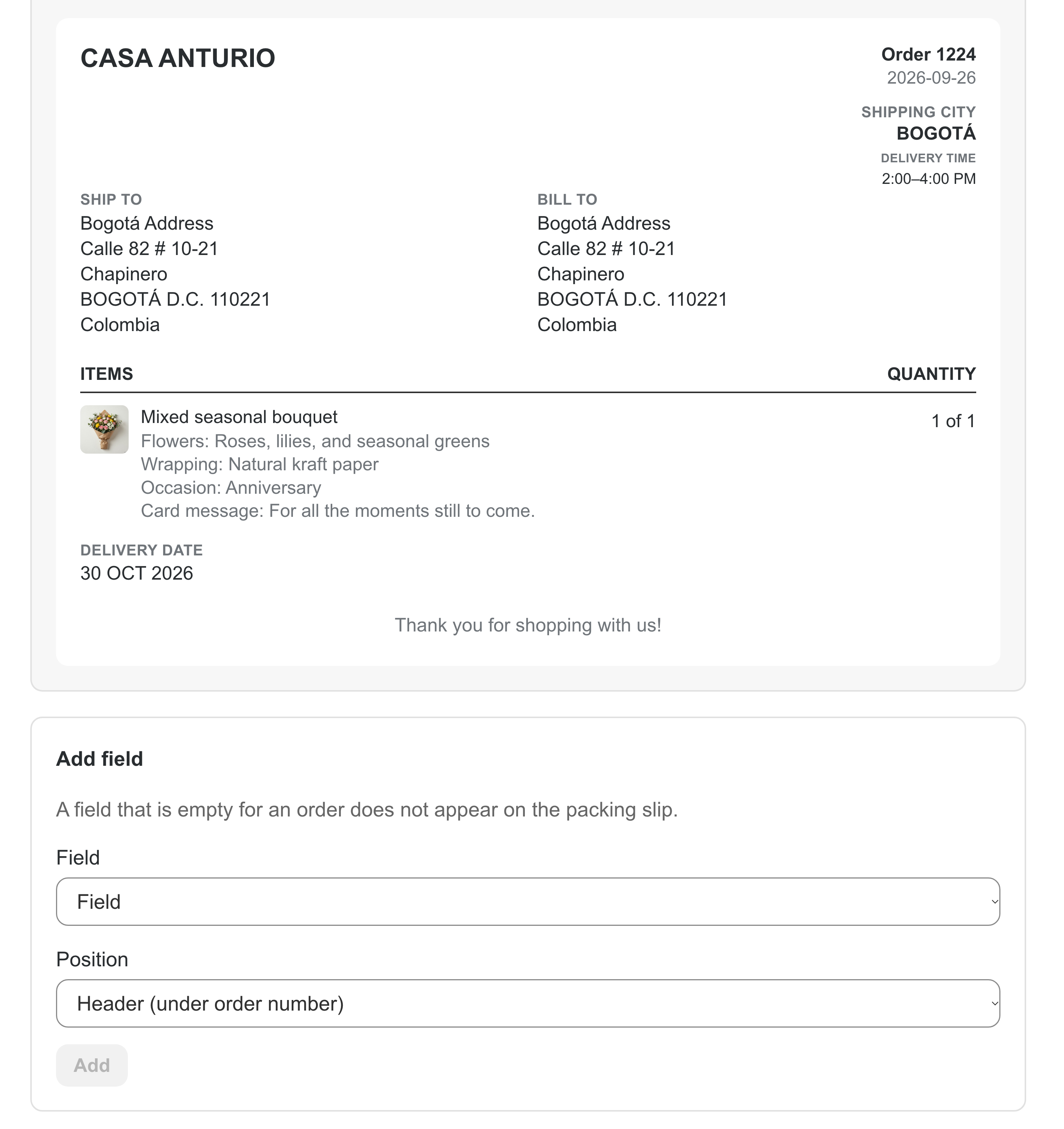
See the packing slips guide for setup details. For a customer-facing template in Shopify Admin, use Orderline’s free Shopify packing-slip template designer.
What impact has Orderline made on order processing?
With close to 50 orders a day, Casa Anturio estimates Orderline saves about five hours of order-processing time each week. They also report a 2% reduction in personalization-related errors: the team can check the delivery schedule in the Orders list, then follow the same product details and photo on the printed slip without reopening each order.
“Something as simple as seeing the product photo without opening the order already saves an enormous amount of time every day.”
— Casa Anturio, Colombia (translated from Spanish)